
Barcode Fonts
Barcode Fonts & Software is a fonts package that allows you to create industrial-grade barcodes by selecting a font in your graphics, text, spreadsheets, reports, web, or third-party applications.
Using fonts to create barcodes is a well-known practice in the auto-id industry. When a barcode - created using a font - is printed, it rasters to the resolution of the printer and will not be limited to the DPI (Dots per Inch) of an image. This results in barcodes that are of the highest quality and can meet the strictest requirements of many organizations and businesses.
ConnectCode Barcode Fonts & Software is proven in the industry for over 15 years and is widely adopted by many Fortune 500 companies. The elegantly simple-to-use barcode fonts, Excel Add-In, Crystal Reports formulas, library components, and software have helped many companies easily pass independent and strict verification tests such as those by GS1/ISO.
If you are a user of a previous version of ConnectCode (v11.x), please contact us for your free upgrade (v11.8).
Download Now Buy Now Brochure
See more feedbacks from our satisfied customers
Using ConnectCode Barcode Fonts
ConnectCode Barcode Fonts can be used in ALL the following scenarios for creating barcodes that adhere to industry specifications.
- With ConnectCode Encoder application to generate barcodes
- With MS Excel (Formulas) - Excel 2007, 2010, 2013, 2016, 2019 or Office Excel 365
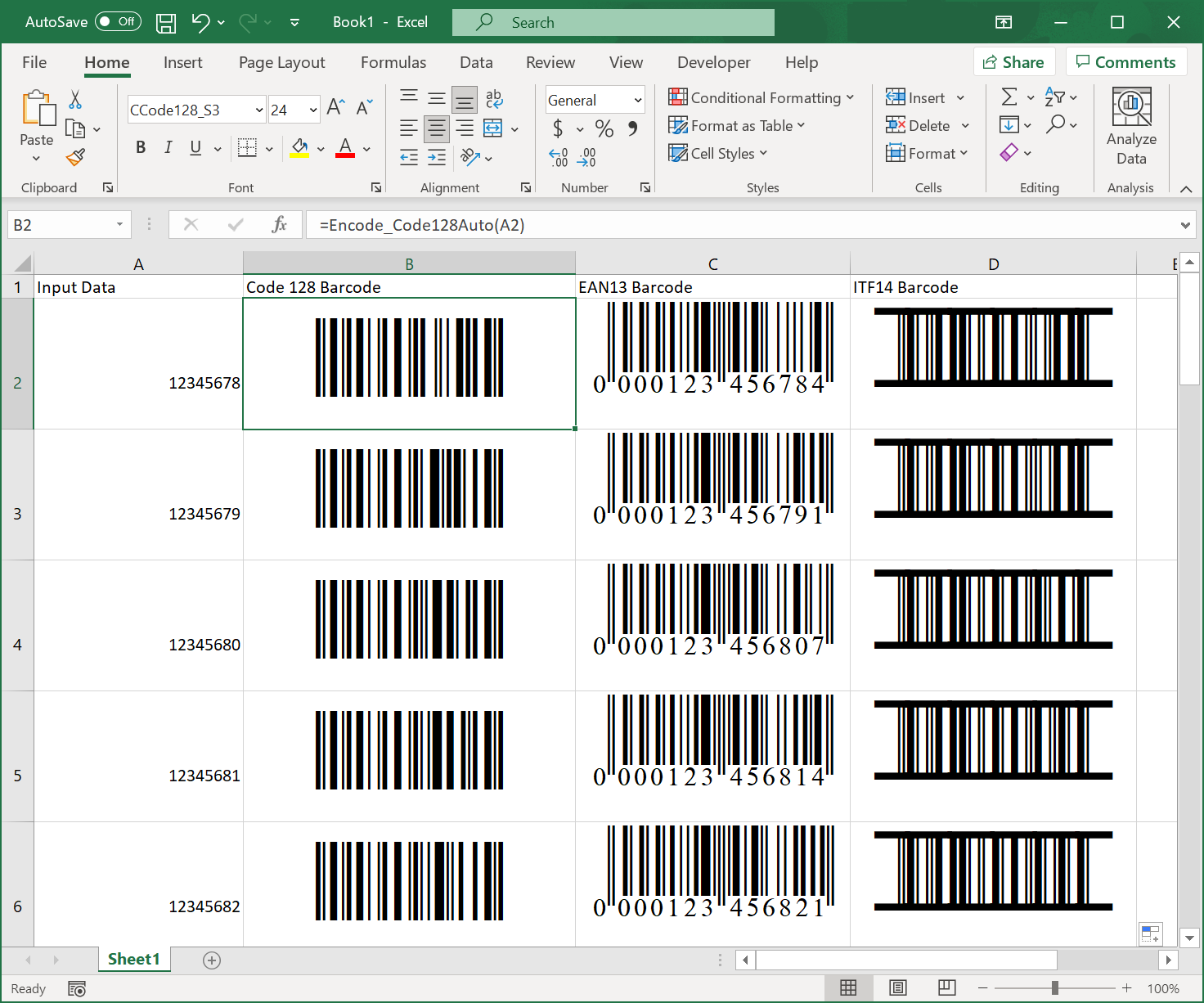
Note - The above is the RECOMMENDED way for creating barcodes in Excel on the Desktop.
- With MS Excel (Formulas) - Excel 2002, 2003 or XP
- With MS Excel (Add-In)
- With App for Office - Office 2013, 2016, 2019, Office 365
- With Office Barcode Add-In - Office 365 Desktop (new!)
- With Excel Custom Functions - Office 365 Web
- With MS Word
- With MS Access
- With Adobe Illustrator
- With Adobe Photoshop
- With Crystal Reports
- See a video on creating barcodes in Crystal Reports
- Both Crystal Reports and Crystal Reports for Visual Studio are supported
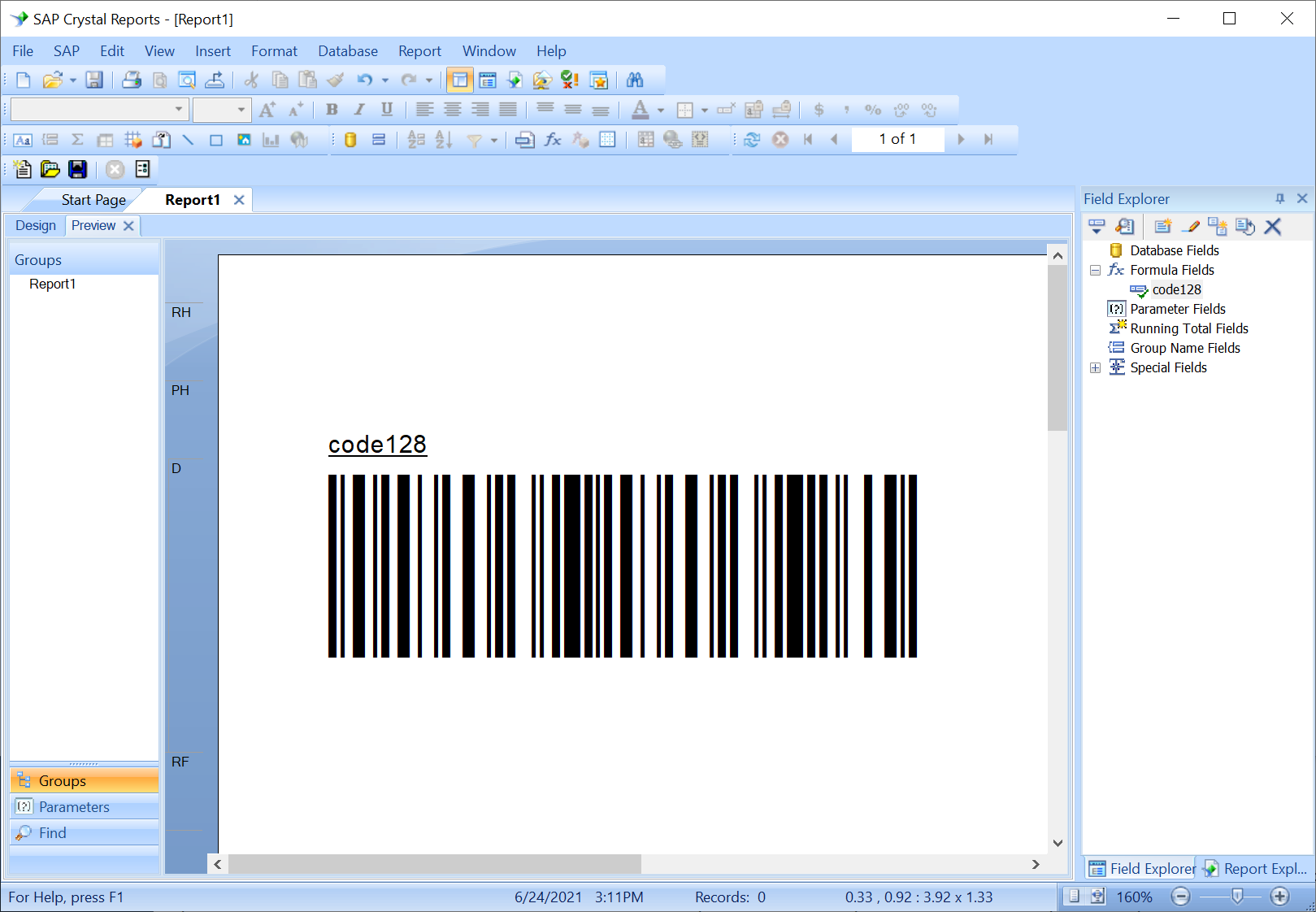
- See a video on creating barcodes in Crystal Reports
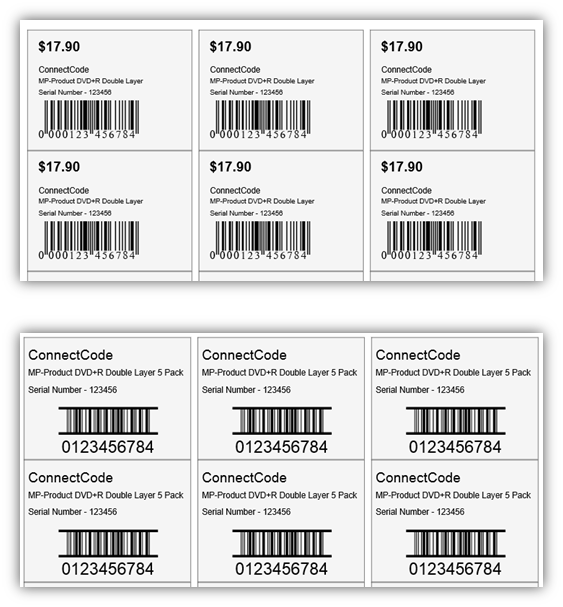
- With Barcode & Label app - Professional Labeling
- With PowerBuilder
- With Microsoft TypeScript
- With the Console, Command Prompt, or Shell Scripts
- Create barcodes with a running number
- Create barcodes with data stored in a text file
- Create barcodes with a running number
- With Microsoft .NET Framework/SDK
- With WinUI - new!
- With Xamarin.Forms
- With .NET MAUI - preview
- With a Component Object Model (COM) Library
- With a Windows Native DLL to integrate with applications written in
- With SQL Server T-SQL - new!
- With SQL Server Reporting Services (SQL Server 2005-2012)
- RDL Reports (Refer to the Help file for a complete tutorial)
- RDLC Reports
- RDL Reports (Refer to the Help file for a complete tutorial)
- With SQL Server Reporting Services (SQL Server 2016-2019) - new!
- With Modern Web / Progressive Web Applications (PWA) / Single Page Applications (SPA)
- Using the Barcode Web Fonts - (Web, iOS, Android, Windows, and Mac)
- Create Barcodes in Oracle
- Create Barcodes in Java
- Create Barcodes in Android
- Using the Barcode Fonts in Windows Store Apps
- Windows Store Class Library for Barcodes (Windows 8/10)
- Javascript and HTML Barcode Library (Windows 8/10)
- Create Barcodes on Windows Azure Cloud Service
- Installing Barcode Fonts on Windows - new!
- Create Barcodes on Linux - new!
- Create Barcodes on Mac - new!
Useful Information
Font Formats
ConnectCode Barcode Fonts are available in TrueType, OpenType, Postscript, WOFF, and WOFF2.
Commonly-asked questions on barcode/barcode software from a Business perspective
- I need a barcode, but I do not know which one to use. Please help me decide. I don't have much time.
- Why should I use your barcode software instead of your competitors?
- Why should I use a barcode font for my barcode printing needs?
Frequently Asked Questions (FAQ)
- Why do I see text characters instead of barcode after creating the barcode in ConnectCode Font Encoder?
- Can the trial version of the barcode software generate barcodes that can be scanned?
- I am unable to scan the barcode I created. What can I do besides contacting you?
- I am getting an extra digit in my barcode. How do I turn it off?
- I am getting a "#NAME?" in my excel spreadsheet when using the barcode formulas.
Updates on GTIN
Barcodes Supported
- Codabar - AIM-BC3-2000
- Code39 - ISO/IEC 16388
- Code39 Ascii - ISO/IEC 16388
- Code93 - AIM-BC5-2000
- Code128 (Auto/A/B/C) - ISO/IEC 15417:2007
- UCCEAN (GS1 128) - GS1 Standard
- I2of5 (Interleaved 2 of 5) - ISO/IEC 16390
- Industrial 2 of 5
- ITF14
- Modified Plessy
- POSTNET
- EAN 13 (European Article Numbering) - ISO/IEC 15420
- EAN 8 - ISO/IEC 15420
- UPCA (Universal Product Code) - ISO/IEC 15420
- UPCE - ISO/IEC 15420
- ISBN/ISSN/EXT2/EXT5
- GS1 Databar 14/Truncated/Limited/Stacked/Expanded - ISO/IEC 24724:2006
What is a Barcode Font?
A barcode font is a font designed from the ground up to create barcodes using a string of characters. Each character in a barcode font uniquely represents a series of alternating black and white patterns. By combining black and white patterns from text characters, a barcode can be created. A font offers unique properties for controlling the spacing between characters, character width, height, and font size, making it an ideal medium for creating quality barcodes that comply with the strictest requirements of the auto-id industry standards.
With a barcode font, creating a barcode is as simple as loading up a text editor such as Word, specifying a text and applying a font. An important thing to note is that there are many different types of barcodes, some may require a mandatory check digit, others may require an input to support numbers-only or upper-case characters. To ensure compliance with different industry standards, the input text can be validated and a check digit automatically generated by an application (an Encoder).
ConnectCode barcode fonts package provides a standalone Encoder to ease the encoding process, and also bundles other tools such as Add-in for Excel for mass converting columns of data into barcodes. Many Fortune 500 companies use ConnectCode’s SDKs, libraries, and report formulas in their line-of-business (LOB) applications, mobile apps, web, and reporting tools for creating barcodes using fonts, a well-known practice in the industry for creating the highest quality barcodes.
Why use ConnectCode?
- Industry Specifications Adherence
ConnectCode's barcode fonts are proven in the industry for many years and trusted by many Fortune 500 companies around the world for creating barcodes that comply strictly with GS1, AIMS, and ISO standards. - Versatility
ConnectCode works with a wide variety of tools and applications such as Microsoft Office, Adobe Creative Suite, Crystal Reports, and label software. It integrates with many different platforms such as .NET, Javascript, PowerBuilder, Web, Windows, iOS, Mac, Android, and Linux. A high-resolution image generator is provided in rare circumstances where a font is not supported, and a professional labeling software is available for designing labels with the barcode fonts. - Huge barcode fonts selection
ConnectCode provides a huge collection of barcode fonts, over 100 in total, with multiple barcode fonts for each barcode symbology. UPCA and EAN13 barcodes come with fonts that support both Standard and Extended style barcodes. Code 39, Code 128B, and I2of5 barcodes come with fonts that embed the human-readable-text commonly found below a barcode. The barcode fonts are available in True Type, Open Type, PostScript, and WOFF/WOFF2 formats. - Elegant Simplicity
Ease of use has always been an essential consideration in ConnectCode. Everything is designed to keep things elegantly simple and easy to use. The focus has always been for ConnectCode's tools to adapt to your business instead of requiring your business to fit into our solution.