
Using the SDK as a Windows Form Control Barcode
In Visual Studio 2005/2008,
- Launch the ToolBox on Visual Studio by going to menu View->Toolbox
- Right-Click on the Toolbox and click on Choose Items...
- The Choose Toolbox Items dialog will be launched. click the Browse button and select ConnectCodeBarcodeLibrary.dll in the installation directory. Click OK to close the Choose Toolbox Items dialog.
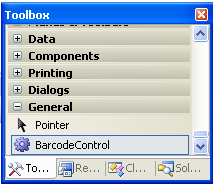
- You should be able to see a new item BarcodeControl in the Toolbox. drag it and drop it to the Windows Form in the designer.
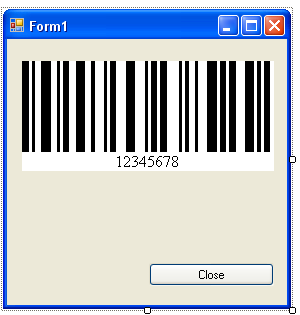
- Your application is now barcode enabled.
- For more details, please refer to the Windows Forms Sample that is shipped with the Barcode Control package.
Windows Presentation Foundation(WPF) Barcode
In Visual Studio 2005/2008,
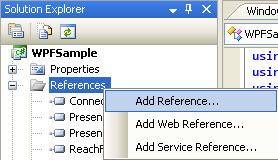
- Add a reference to ConnectCodeBarcodeLibrary.dll. This can be done by Right clicking on the project and select Add Reference.
- Add a reference to WindowsFormsIntegration and System.Windows.Forms. These assemblies can be found under the .Net tab.

- Create an instance of the WindowsFormsHost and set its child to the BarcodeControl
Net.ConnectCode.BarcodeControl bc = new Net.ConnectCode.BarcodeControl();
System.Windows.Forms.Integration.WindowsFormsHost formshost = new System.Windows.Forms.Integration.WindowsFormsHost();
formshost.Child = bc;
- Add the WindowsFormsHost to your WPF window. For example, if the WPF window contains a grid named windowgrid, you may use the following call
this.windowsgrid.Children.Add(formshost);
- The following is a sample screen of the WPF application.

- For more details, please refer to the WPF Sample that is shipped with the Barcode Control package.